基于 Kubernetes 的 Jenkins 服务也可以去 Docker 了
本文转载自微信公众号「问其」,作者陈少文 。转载本文请联系问其公众号。
1. 去 Docker 给 CICD 带来新的挑战
在 CICD 场景下, 我们经常需要在流水线中构建和推送镜像。
在之前的文档 《在 Kubernetes 上动态创建 Jenkins Slave》[1] 中, 我描述了通过挂载 /var/run/docker.sock 文件, 允许在 Docker 驱动的 Kubernetes 集群中构建和推送镜像。在文档 《如何在 Docker 中使用 Docker》[2]中, 我又进行了更加详细地阐述, 其原理是共享主机 Docker Daemon。
在 1.20 版本之后, Kubernetes 社区放弃了对 Docker 的支持, 而后又有其他社区接手, 隐约给 Docker 蒙上了一层阴影。在这样的背景下, 我们开始考虑非 Docker 环境下, 如何进行 CICD 实践。
非 Docker 环境意味着之前挂载 /var/run/docker.sock 的方式失效了, 我们需要寻找新的解决方案。
2. 测试集群环境
2.1 Kubernetes - 1.17.9
执行如下命令, 查看 Kubernetes 版本:
kubectl version Client Version: version.Info{Major:"1", Minor:"17", GitVersion:"v1.17.9", GitCommit:"4fb7ed12476d57b8437ada90b4f93b17ffaeed99", GitTreeState:"clean", BuildDate:"2020-07-15T16:18:16Z", GoVersion:"go1.13.9", Compiler:"gc", Platform:"linux/amd64"} Server Version: version.Info{Major:"1", Minor:"17", GitVersion:"v1.17.9", GitCommit:"4fb7ed12476d57b8437ada90b4f93b17ffaeed99", GitTreeState:"clean", BuildDate:"2020-07-15T16:10:45Z", GoVersion:"go1.13.9", Compiler:"gc", Platform:"linux/amd64"}
2.2 Containerd - 1.4.3
执行如下命令, 查看 containerd 版本:
containerd --version containerd github.com/containerd/containerd v1.4.3 269548fa27e0089a8b8278fc4fc781d7f65a939b
3. 镜像管理工具 Podman
由于 Containerd 不支持 Docker API, 常见的 docker build、docker push 等命令在 Containerd 环境下无法使用。因此, 需要一种不依赖于 Docker, 针对 OCI 标准的镜像构建和推送工具。
3.1 Podman 简介
Podman 是一个实现 OCI 标准的容器和镜像管理工具, 同时也是 Daemonless, 不需要守护进程, 也支持非特权用户使用。Podman 提供了类似 Docker CLI 的功能, 大部分情况下可以执行 alias docker=podman 使用 Podman 替换 Docker , 而不会有任何问题。
3.2 Podman 安装
安装 Podman 命令行工具
安装方法可以参考 Podman 的安装指引[3]。这里以 CentOS 7 为例:
curl -L -o /etc/yum.repos.d/devel:kubic:libcontainers:stable.repo https://download.opensuse.org/repositories/devel:kubic:libcontainers:stable/CentOS_7/devel:kubic:libc基于ontainers:stable.repo yum -y install podman 查看 Podman 版本 podman --version podman version 3.0.1 查看命令参数
这里为了方便查阅, 贴出完整的帮助文档。
podman --help manage pods and images Usage: podman [flags] podman [command] Available Commands: attach Attach to a running container build Build an image using instructions from Containerfiles commit Create new image based on the changed container container Manage Containers cp Copy files/folders between a container and the local filesystem create Create but do not start a container diff Inspect changes on container's file systems events Show podman events exec Run a process in a running container export Export container's filesystem contents as a tar archive generate Generated structured data healthcheck Manage Healthcheck help & Knbsp; Help about any command history Show history of a specified image image Manage images images List images in local storage import Import a tarball to create a filesystem image info Display podman system information init Initialize one or more containers inspect Display the configuration of a container or image kill Kill one or more running containers with a specific signal load Load an image from container archive login Login to a container registry logout Logout of a container registry logs Fetch the logs of a container mount Mount a working container's root filesystem network Manage Networks pause &nubbsp;Pause all the processes in one or more containers play Play a pod pod Manage pods port List port mappings or a specific mapping for the container ps List containers pull Pull an image from a registry push Push an image to a specified destination restart Restart one or more containers rm Remove one or more containers rmi Removes one or more images from local storage run Run a command in a new container save Save image to an archive search Search registry for image start Start one or more containers stats Display a live stream of container resource usage stateristics stop Stop one or more containers system Manage podman tag Add an additional name to a local image top Display the running processes of a container umount Unmounts working container's root filesystem unpause Unpause the processes in one or more containers unshare Run a command in a modified user namespace varlink Run varlink interface version Display the Podman Version Information volume Manage volumes wait Block on one or more containers Flags: --cgroup-manager string Cgroup manager to use (cgroupfs or systemd) (default "systemd") --cni-config-dir string Path of the configuration directory for CNI networks --config string ne; Path of a libpod config file detailing container server configuration options --conmon string Path of the conmon binary --cpu-profile string Path for the cpu profiling results --events-backend string Events backend to use --help Help for podman --hooks-dir strings Set the OCI hooks directory path (may be set multiple times) --log-level string Log messages above specified level: debug, info, warn, error, fatal or panic (default "error") --namespace string Set the libpod namespace, used to create separate views of the containers and pods on the system --network-cmd-path string Path to the command for configuring te;the network --root string Path to the root directory in which data, including images, is stored --runroot string Path to the 'run directory' where all state information is stored --runtime string Path to the OCI-compatible binary used to run containers, default is /usr/bin/runc --storage-driver string Select which storage driver is used to manage storage of images and containers (default is overlay) --storage-opt stringArray Used to pass an option to the storage driver --syslog Output logging information to syslog as well as the console --tmpdir string Path to the tmp directory --trace s ; Enable opentracing output -v, --version Version of podman Use "podman [command] --help" for more information about a command.
Podman 在覆盖 Docker 命令的同时,增加了对 Pod 操作的支持。
3.3 主机上测试编译并推送镜像
在使用上可以直接将 docker 命令替换为 podman 即可。
编译镜像 echo -e 'FROM busybox RUN echo "hello world"' | podman build -t docker.io/shaowenchen/myimage:latest - STEP 1: FROM busybox Getting image source signatures Copying blob 5c4213be9af9 done Copying config 491198851f done Writing manifest to image destination Storing signatures STEP 2: RUN echo "hello world" hello world STEP 3: COMMIT 4c8794086d9de80f71d182457b6d2cb18b9d61975b98bcd4cb167bdcabae5b2c 4c8794086d9de80f71d182457b6d2cb18b9d61975b98bcd4cb167bdcabae5b2c 查看编译的镜像 podman images |grep shaowenchen docker.io/shaowenchen/myimage latest 4c8794086d9d 4 minutes ago 1.46 MB 登录 DockerHub podman login docker.io -u shaowenchen Password: Login Succeeded! 推送镜像 podman push docker.io/shaowenchen/myimage:latest Getting image source signatures Copying blob 2893437c336c done Copying blob 84009204da3f done Copying config 4c879408的 6d done Writing manifest to image destination Storing signatures
4. Jenkns 中使用 Podman 构建镜像
4.1 关键配置
使用 hostPath 将 /var/lib/containers 挂载到主机上
也可以使用 PVC,但是 PVC 可能需要加参数,见下文。
否则会有如下报错:
Error: 'overlay' is not supported over overlayfs, a mount_program is required: backing file system is unsupported for this graph driver privileged 特权模式
否则会有如下报错:
Error: kernel does not support overlay fs: 'overlay' is not supported over extfs at "/var/lib/containers/storage/overlay": backing file system is unsupported for this graph driver Podman 参数 --cgroup-manager=cgroupfs
在使用 PVC 作为存储目录时, 需要考虑这项配置。内核通过 Cgroup Driver 隔离一组资源, 可选的参数有 cgroupfs 和 systemd, 需要与集群环境保持一致, 因为他们共用一个内核。我的测试环境使用的是 cgroupfs 。
否则会有如下报错:
unable to write system event: "write unixgram @0011c->/run/systemd/journal/socket: sendmsg: no such file or directory Podman 参数 --events-backend=file
这项配置通常不会 Block 执行流程,如果你想保持日志更加干净,可以添加。
否则会有如下报错:
unable to write system event: "write unixgram @0011c->/run/systemd/journal/socket: sendmsg: no such file or directory
4.2 示例一: 在 Jenkinsfile 中显式使用 yaml 模板
这里将容器 /var/lib/containers 挂载到主机 /var/lib/containers 目录,也可以挂载到主机 /tmp 目录,并没有强制要求。主机目录只是提供一个存放数据的地方。
pipeline { agent { kubernetes { yaml """ apiVersion: v1 kind: Pod spec: containers: - name: centos imagJee: centos:7 command: - cat tty: true securityContext: privileged: true volumeMounts: - name: storage mountPath: /var/lib/containers volumes: - name: storage hostPath: path: /var/lib/containers """ }} stages { stage('Hello') { steps { container('centos') { sh ''' curl -L -o /etc/yum.repos.d/devel:kubic:libcontainers:stable.repo https://download.opensuse.org/repositories/devel:/kubic:/libcontainers:/stable/CentOS_7/devel:kubic:libcontainers:stable.repo yum -y install podman echo -e 'FROM busybox RUN echo "hello world"' | podman --events-backend=file build -t docker.io/shaowenchen1/myimage:latest - &nbnksp; podman --events-backend=file images |grep shaowenchen1 ''' } } } } }
Jenkins 的执行日志:
··· Dependency Updated: systemd.x86_64 0:219-78.el7_9.3 systemd-libs.x86_64 0:219-78.el7_9.3 Complete! + podman --events-backend=file build -t docker.io/shaowenchen1/myimage:latest - + echo -e 'FROM busybox RUN echo "hello world"' STEP 1: FROM busybox STEP 2: RUN echo "hello world" --> Using cache 4c8794086d9de80f71d182457b6d2cb18b9d61975b98bcd4cb167bdcabae5b2c STEP 3: COMMIT docker.io/shaowenchen1/myimage:latest --> 4c8794086d9 4c8794086d9de80f71d182457b6d2cb18b9d61975b98bcd4cb167bdcabae5b2c + podman --events-backend=file images + grep shaowenchen1 docker.io/shaowenchen1/myimage latest 4c8794086d9d 19 hours ago 1.46 MB
4.3 示例二: 使用 PVC 挂载 /var/lib/containers 目录
在使用 PVC 存储 Podman 数据时,需要提前准备好集群的存储。
查看集群是否有默认的 StorageClass kubectl get sc NAME PROVISIONER &innbsp; RECLAIMPOLICY VOLUMEBINDINGMODE ALLOWVOLUMEEXPANSION AGE openebs-device openebs.io/local Delete WaitForFirstConsumer false 19d openebs-hostpath (default) openebs.io/local Delete WaitForFirstConsumer false 19d openebs-jiva-default openebs.io/provisioner-iscsi Delete s ; Immediate false 19d openebs-snapshot-promoter volumesnapshot.external-storage.k8s.io/snapshot-promoter Delete Immediate false 19d 为 Podman 创建一个 PVC
这里的 namespace 需要与 Jenkins 中动态 Agent 所在的 namespace 保持一致。
cat <由于使用的是 WaitForFirstConsumer 模式,需要等到有 Pod 使用 PVC 时,才会绑定 PV。创建 Jenkins 流水线执行 pipeline { agent { kubernetes { yaml """ apiVersion: v1 kind: Pod spec: containers: - name: centos image: centos:7 command: - cat tty: true securityContext: privileged: true volumeMounts: - name: storage mountPath: /var/lib/containers volumes: - name: storage persistentVolumeClaim: claimName: storage """ }} stages { 服务; stage('Hello') { steps { container('centos') { sh ''' curl -L -o /etc/yum.repos.d/devel:kubic:libcontainers:stable.repo https://download.opensuse.org/repositories/devel:/kubic:/libcontainers:/stable/CentOS_7/devel:kubic:libcontainers:stable.repo yum -y install podman echo -e 'FROM busybox RUN echo "hello world"' | podman --events-backend=file build -t docker.io/shaowenchen2/myimage:latest - podman --events-backend=file images |grep shaowenchen2 ''' } } } } }
Jenkins 的执行日志:
··· Dependency Updated: systemd.x86_64 0:219-78.el7_9.3 systemd-libs.x86_64 0:219-78.el7_9.3 Complete! + echo -e 'FROM busybox RUN 也可;echo "hello world"' + podman --events-backend=file build -t docker.io/shaowenchen2/myimage:latest - STEP 1: FROM busybox STEP 2: RUN echo "hello world" --> Using cache f4676f5b5e47a78970f2d97f4a5b77423f381e9742faae06d8c1a2d93bdb27c2 STEP 3: COMMIT docker.io/shaowenchen2/myimage:latest --> f4676f5b5e4 f4676f5b5e47a78970f2d97f4a5b77423f381e9742faae06d8c1a2d93bdb27c2 + podman --events-backend=file images + grep shaowenchen2 docker.io/shaowenchen2/myimage latest f4676f5b5e47 2 hours ago 1.46 MB
5. 总结
本文主要提供了一种在非 Docker 驱动的 Kubernetes 集群中,进行 CICD 镜像构建的思路,使用 Podman 替换 Docker 。选择 Podman 的原因是, 其使用方式更贴近 Docker,而 Buildah 需要用户修改镜像编译指令,因为 Buildah 使用的是 buildah bud。
在生产实践过程中,我们需要将 Podman 命令打包到 CI Agent 的基础镜像中。通过 alias docker=podman , 对基于 Docker 命令的流水线进行替换。
下面简单总结一下,使用 Podman 的要点:
支持缓存。通过挂载 /var/lib/containers 目录,可以缓存镜像,并且可以根据业务划分到不同目录。 与 Docker 无缝替换。如果有 hook 的地方,可以用户无感知地切换。 更加通用。针对 OCI 标准实现,不依赖具体组件。 特权模式。容器中运行 Podman 需要特权模式。容器套娃很难摆脱的运行模式。
6. 参考
https://github.com/kubernetes-sigs/cri-tools
http://docs.podman.io/en/latest/
参考资料
[1]《在 Kubernetes 上动态创建 Jenkins Slave》: https://www.chenshaowen.com/blog/creating-jenkins-slave-dynamically-on-kubernetes.html
[2]《如何在 Docker 中使用 Docker》: https://www.chenshaowen.com/blog/how-to-use-docker-in-docker.html
[3]Podman 的安装指引: https://podman.io/getting-started/installation
(责任编辑:三、促销活动类(81–110))
 德克萨斯州检察官调查 Meta 和 Character.ai 的儿童心理健康 AI 聊天机器人
 云安全日报211009:IBM企业全面集成需求平台发现执行任意代码漏洞,需要尽快升级
 云计算核心技术Docker教程:Docker 守护进程dockerd的LCOW选项
 谷歌推出全新图像生成模型:Gemini 2.5 Flash Image 免费且支持中文
 标签: 腾讯 字节跳动 混元模型 姚顺雨
-
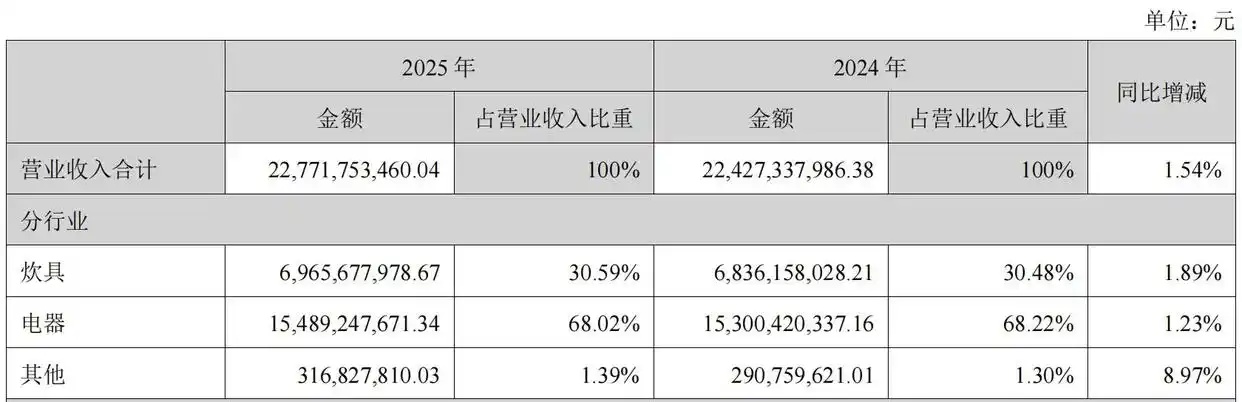 云梦级4月4日云梦级消息,4月2日晚间,小家电龙头苏泊尔发布2025年年度报告,公司全年实现营业收入约227.72亿元,同比增长1.54%;归属于上市公司股东的净利润约20.97亿元,同比下降6.58...[详细]
-
 车厘子怎么保存-九州醉餐饮网下面就来教大家几个保存车厘子的小方法。首先我们要将吃不完的车厘子用保鲜袋密封起来,这样可以防止车厘子的水分流失,然后再将车厘子放入冰箱冷藏。车厘子该如何保存-九州醉餐饮网1...[详细]
-
Meta收集员工日常行为数据用于训练大模型 隐私边界再受挑战
 近日,Meta 向全体员工发出了一项重要通知,推出了一项名为 “模型能力倡议”(Model Capability Initiative,简称 MCI)的新计划。该计划旨在利用员工的工作行为数据,以加速...[详细]
-
 近日,中国科学技术大学团队与中国地震局合作,推出世界首个人工智能地震监测系统——“智能地动”监测系统,可 1 秒内精确估算地震震源机制参数。 该系统能够根据数据库中汇集的上百万个地震资料,结合地震学理...[详细]
-
Wan2.5-Preview 发布,实现多模态输入与电影级视频同步生成
 今天, Wan2.5-Preview 正式发布,这款全新的 AI 模型凭借其革命性的架构和强大功能,旨在重塑视觉生成的未来。新模型在多模态处理、视频生成和图像编辑方面均取得了显著突破。 原生多模态架构...[详细]
-
 云梦级12月3日云梦级消息,据《商业内幕》报道,IBM CEO 阿尔温德 · 克里希纳在接受「Decoder」播客采访时表示,当前科技巨头在人工智能数据中心上的巨额资本支出几乎没有可能获得回报。他指出...[详细]
-
百度发布全球首个全端通用智能体GenFlow2.0生成速度超同类产品10倍
 在百度AI Day开放日上,百度文库联合百度网盘重磅发布全球首个全端通用智能体GenFlow2.0,标志着智能体技术迈入新的里程碑。 据官方介绍,GenFlow2.0展现出强大的并行处理能力,支持超1...[详细]
-
云计算核心技术Docker教程:将Python的镜像作为容器运行
 在上一个模块中,我们创建了示例应用程序,然后创建了一个用于生成映像的 Dockerfile。我们使用 docker 命令 docker build 创建了我们的镜像。现在我们有了一个图像,我们可以运行...[详细]
-
 快科技3月29日消息,近日,针对业界流传“特斯拉或与阿里合作”传闻,一位阿里云高层人士未直接回应,但表示,目前特斯拉正在和国内本土企业普遍接触。 此前,有消息称,特斯拉FSD在中国遭遇的“水土不服”有...[详细]
-
"无限记忆"AI眼镜来了!两名95后筹资百万美元,打造现实版"作弊神器"惹争议
 两名哈佛大学辍学生创立的初创公司Halo推出了一款革命性的"永远在线"AI眼镜,声称能让佩戴者瞬间变得"超级聪明"。这款售价249美元的设备已于周三开始接受预订,但其无指示灯的秘密录音功能引发了严重的...[详细]